01Discover
The trailer first
The video is bare, full screen. Pull the handle and the title, year, rating and actions rise over it.
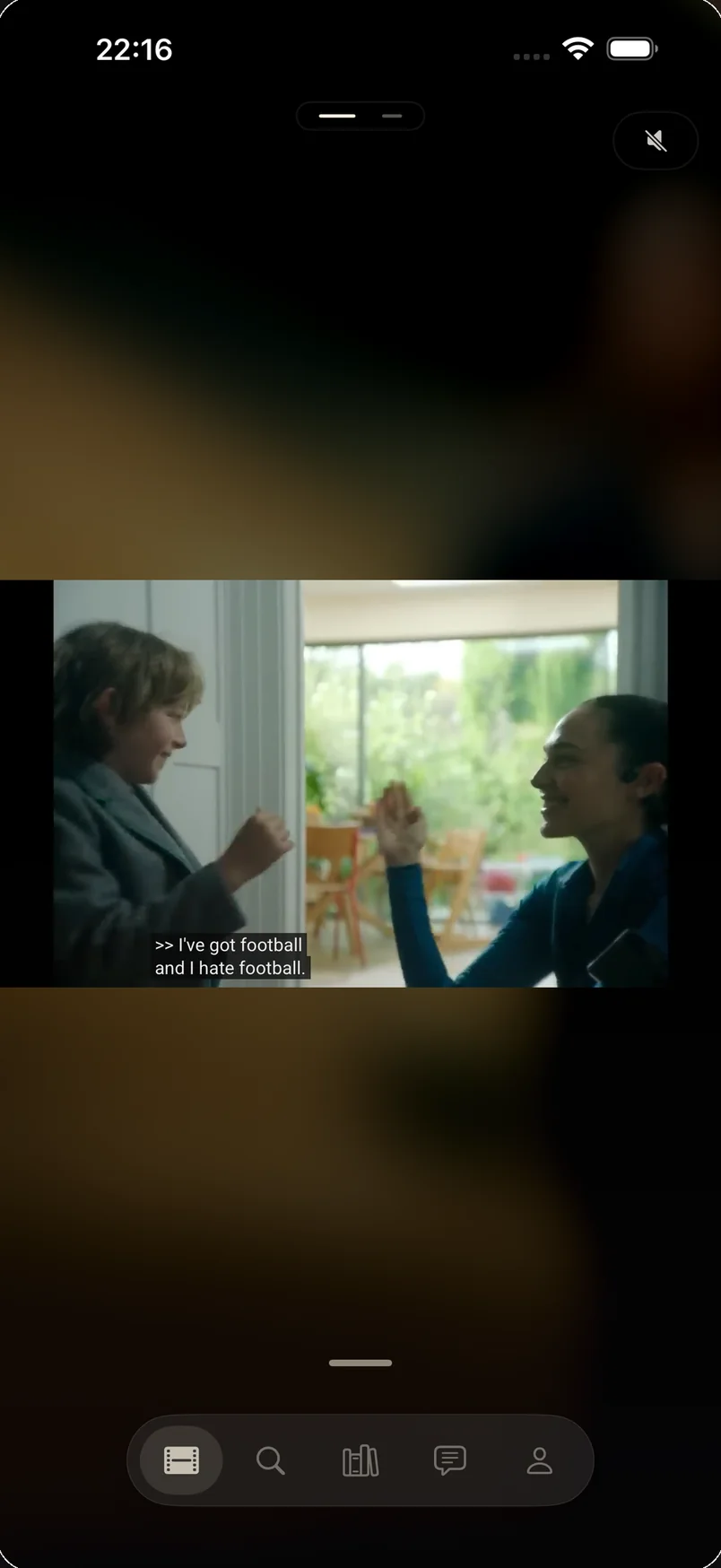
CUT doesn't ask you for a genre, or a rating, or trust in an algorithm. It asks what you're in the mood for right now — and shows you what that looks like.
Pick a mood, not a cold genre.
Find out a film's energy before committing to it.
Find where to watch it legally, then press play.
The video is bare, full screen. Pull the handle and the title, year, rating and actions rise over it.
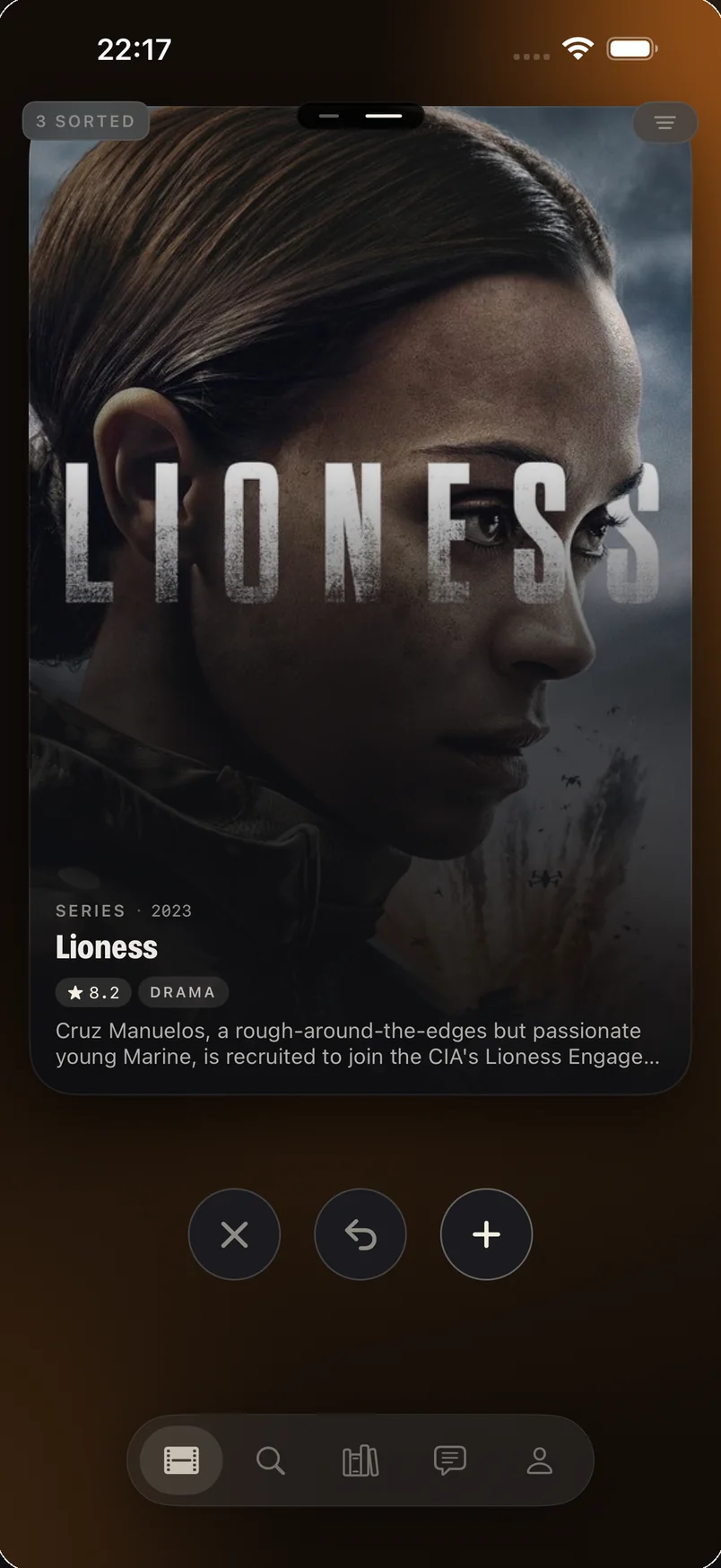
A deck shaped by your taste and your platforms. One gesture to keep, one to pass: what you keep joins your list.
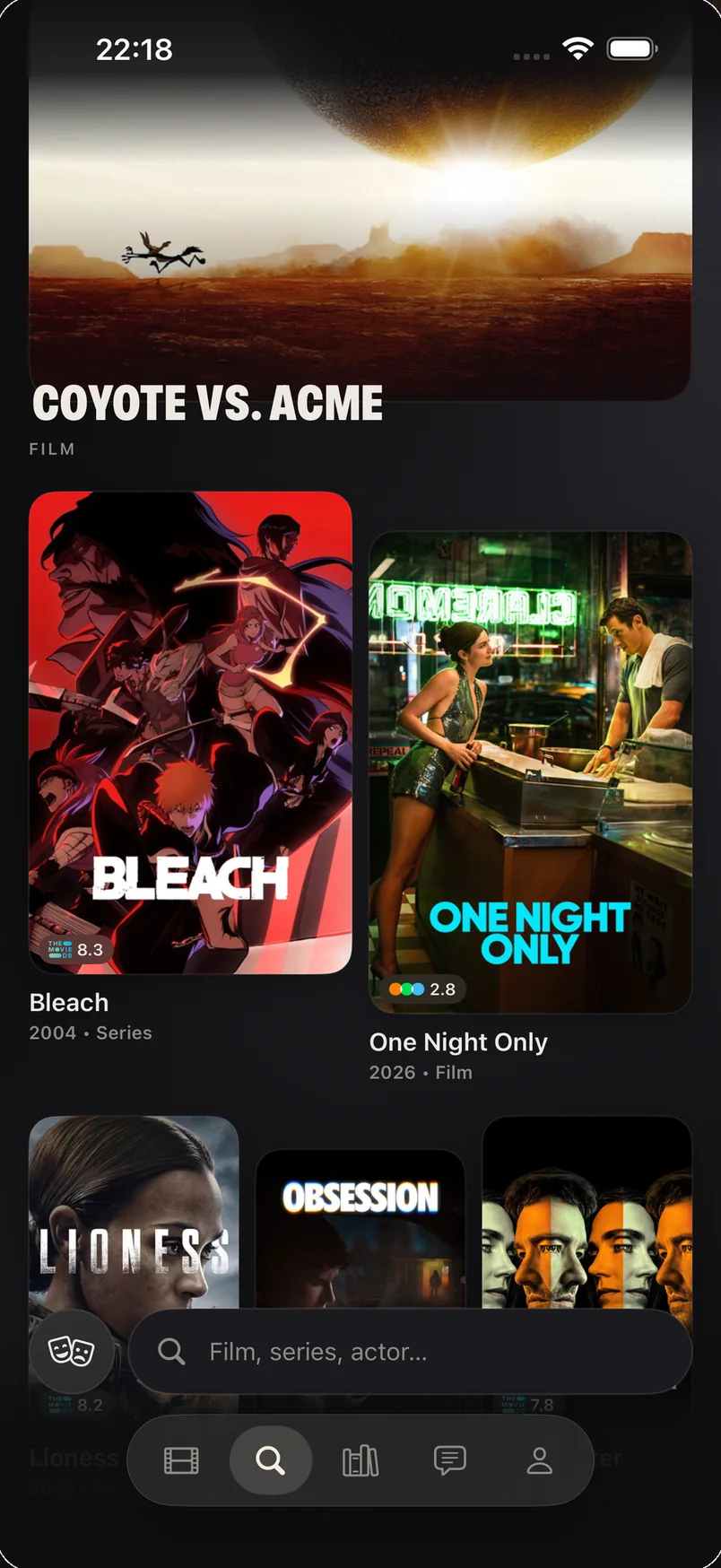
A full-width lead, then columns deliberately out of step. No horizontal line ever crosses the screen.
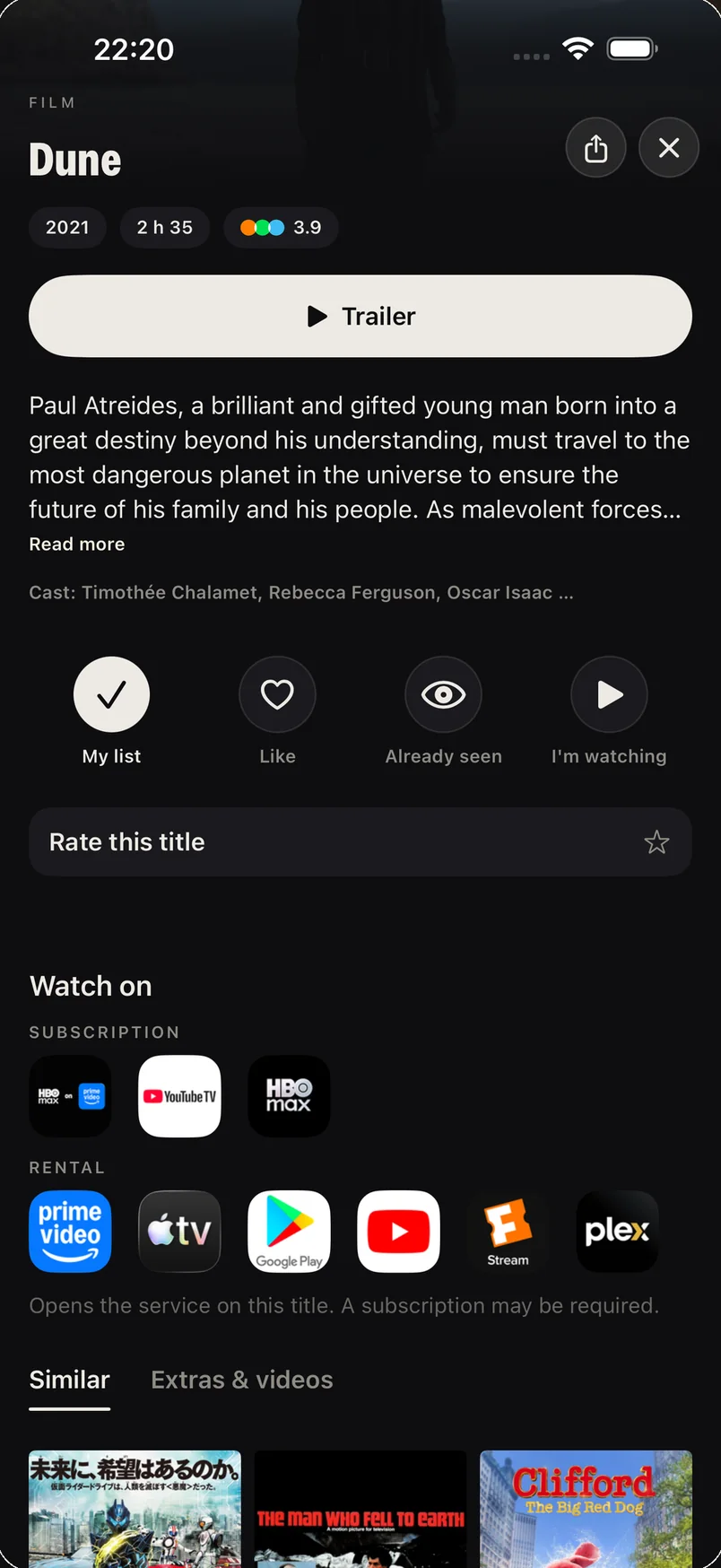
Synopsis, cast, ratings — and above all, the services where the title is available, by subscription or to rent. One tap opens the right one.
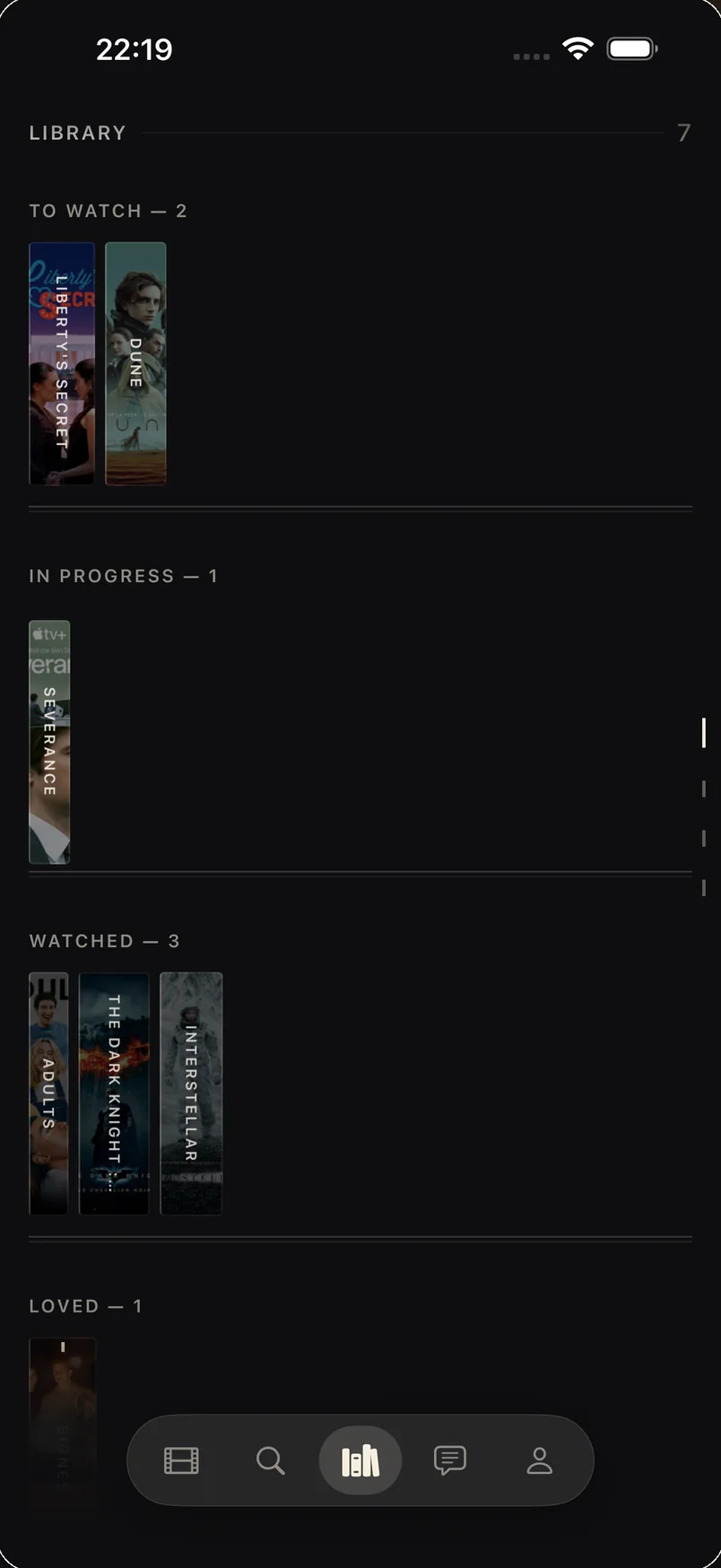
Every title is a vertical slice, like the spine of a cassette. To watch, watching, finished, favourites — four shelves in a single scroll.
An iPhone app that helps you decide what to watch. Instead of scrolling grids of posters, you see the trailer first: thirty seconds is enough to know whether a film appeals to you. Once you've decided, CUT tells you which platform streams it legally.
No. CUT hosts, streams and provides no films whatsoever. The app shows trailers, title pages and selections, then sends you to the legal platforms that carry the title: your subscription, a rental or a purchase depending on the case.
Yes. Trailers, search, moods, detailed title pages and a 10-title library are free, and usable without creating an account. CUT+ is an optional one-time purchase that lifts the library limit and adds widgets, live sessions, alerts (releases, episodes, platforms) and the full social layer.
No, it's a one-time payment. There's no renewal date, no automatic charge and nothing to cancel. The purchase is tied to your Apple Account and restores on your other devices. It isn't shared through Family Sharing.
No. The app works in guest mode, with no email and no name: your lists then stay on the device. An account exists so you can find your library again on your other devices. You can delete your account and all your data from inside the app, at any time.
Platform availability comes from The Movie Database, for the region detected on your device. You can declare the services you subscribe to: an "On my services" reel then shows you only what's already included in what you pay for.
CUT replaces genres with six moods — under tension, leave the real world, tender heart, adrenaline rush, laugh differently, after midnight. You choose what you're in the mood for right now rather than a label, and the selection recomposes around it.
iPhone, from iOS 17 onwards. CUT is on the App Store, for free.
The app speaks French, English, Spanish, German, Italian and Brazilian Portuguese. It follows your iPhone's language, and you can also switch it by hand, without restarting.
Yes. Start a movie night from the Sort and share the code: everyone sorts the same stack on their own phone, and the first title everyone keeps becomes tonight's film.
Yes. A Letterboxd export (.zip) or an IMDb export (.csv) imports from inside the app: your watched films, your ratings and your watchlist land in your library.